IoT Device
Plantify
Plant owners rarely know why a plant died, and often blame water. Plantify is a soil-monitoring stick and companion app that shows a plant's condition with a light you can see across the room.
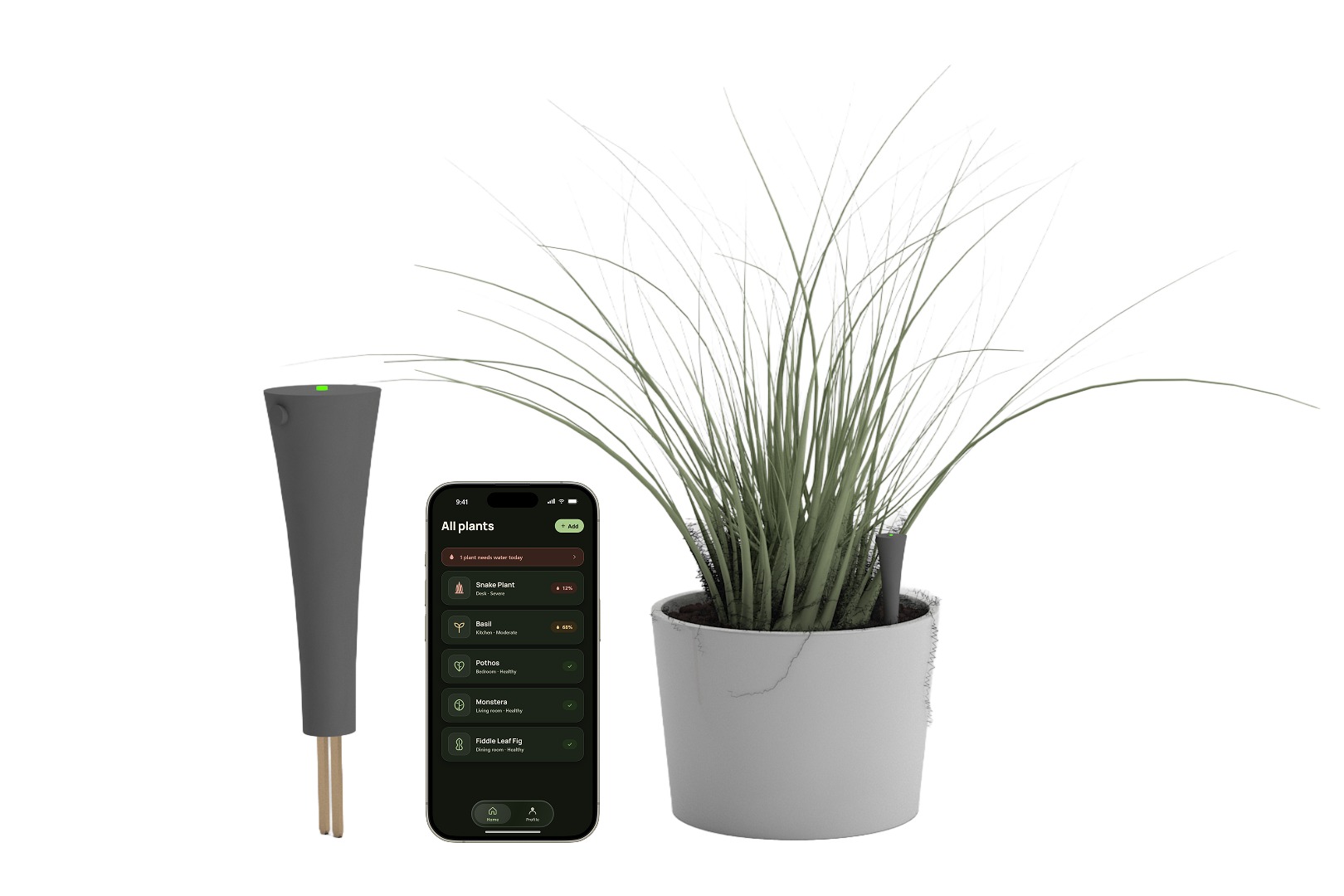
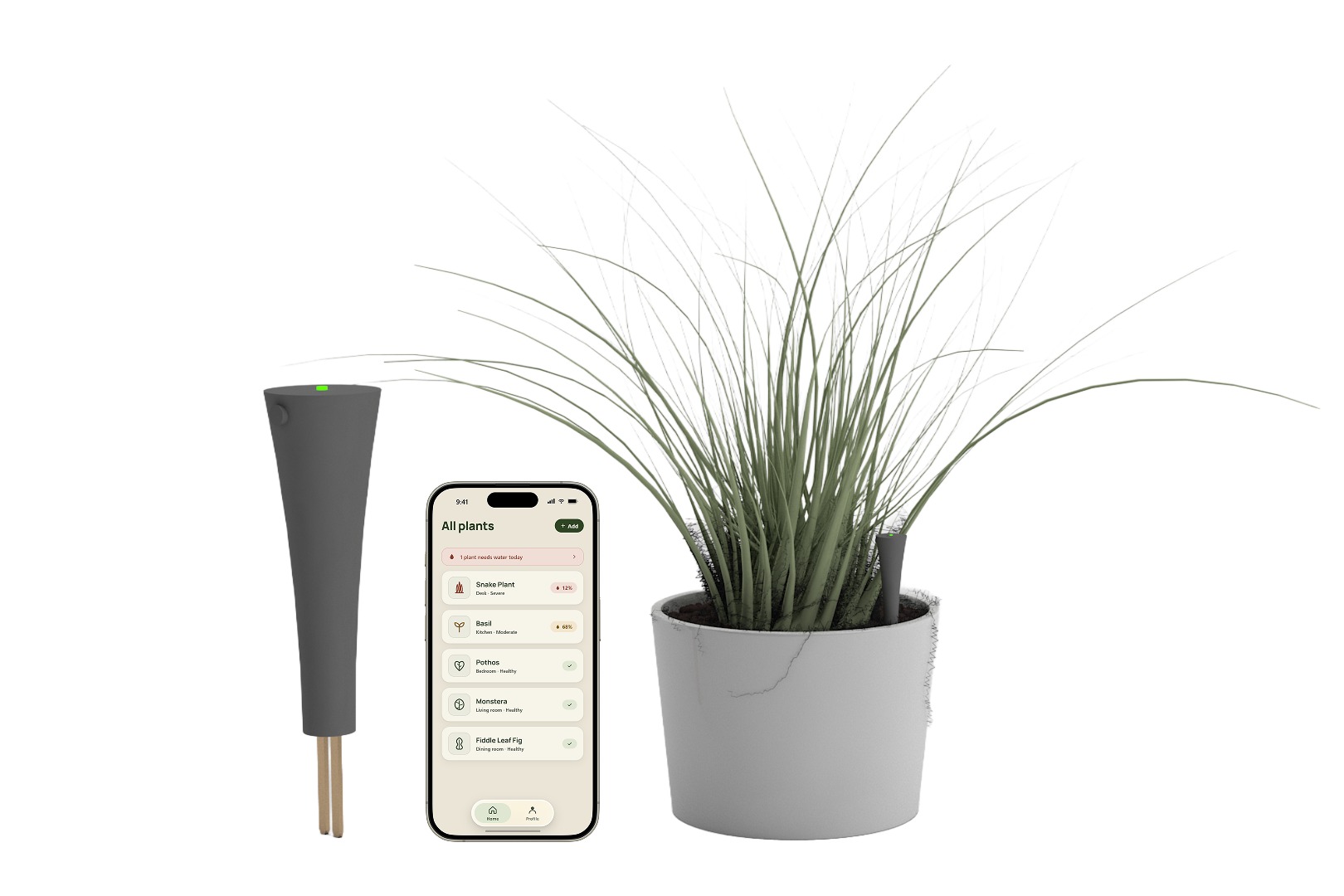
Overview
A device that tells you what the plant can't
A competitive analysis turned up plenty of plant-care gadgets, but almost none monitored more than one or two conditions. Whether owners actually wanted more than that was an open question, so we went and asked.
Goal: help owners who struggle with consistent care and plant longevity pinpoint exactly what a plant needs, instead of guessing from the leaves.
As a course project, every team member owned each research step. Beyond that shared work, I took three pieces end to end: I modeled and rendered the device in 3DS Max, built a working sensor-to-LED prototype on a Particle Photon in C++, and designed the app: the 2021 hi-fi Figma prototype, and the 2026 rebuild further down this page.
Research
Surveys, interviews, and a 3-day diary study
A survey gave us quick, broad data on whether a maintenance problem existed. Each of us then interviewed two plant owners one-on-one and invited them into a diary study: three days of self-reported photos every time they interacted with a plant. The whole study ran remotely, and still produced solid quantitative and qualitative data.
Constant lookup
Owners frequently had to look up how to care for their specific plants.
Watering & sunlight lead
The top two struggles, followed by soil changes, pH levels, and keeping pets away.
Visual dependency
Owners rely almost entirely on what a plant looks like to judge how it's doing.
Late detection
The hardest problem was catching a dying leaf before it was too late.
Clarity
Participants wanted an interactive mobile app that is easy to understand at a glance.
Connectivity
When away from home, they still wanted a way to check in on their plants.
Alerts
People forget. Reminders and notifications keep a care routine on track.
Visual indication & reconfirmation
Visible feedback on the plant's status, and repeated confirmation, gave owners certainty.
Two findings shaped everything after this. Owners gravitated toward low-maintenance plants and away from anything demanding. During user enactments they also strongly preferred several confirmations along the way, which we read as a rooted fear of losing a plant. Reassurance, not data, turned out to be the product.
Concept
A standalone sensor stick, paired to a mobile app
Each of us brainstormed concepts independently, then the team converged on the least intrusive, most scalable idea: a smart-monitoring stick that pushes straight into the soil and reports back through the app.
What it does: reads soil density, pH, acidity, humidity, and dryness, with an overview of each; pulls growing recommendations and care solutions from an extensive plant database; connects over Wi-Fi through a hub; flashes an RGB LED that reflects the plant's health at a glance; supports multiple devices, each with its own plant details; and lets you add a guest user with a temporary code.
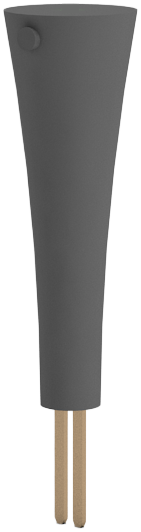 LED signifierReads the plant's state across the room, before you open anything.Sync buttonPress and hold to pair with the hub. Blue while pairing, green once connected.Weatherproof housingSealed rather than sealed-with-a-door, so the battery charges over USB-C.Soil probesSit in the root zone and read moisture, pH, acidity, humidity, and density.
- LED signifierReads the plant's state across the room, before you open anything.
- Sync buttonPress and hold to pair with the hub. Blue while pairing, green once connected.
- Weatherproof housingSealed rather than sealed-with-a-door, so the battery charges over USB-C.
- Soil probesSit in the root zone and read moisture, pH, acidity, humidity, and density.
System architecture
How a reading gets from the soil to the phone
Setup: the app sends the home network credentials to a gateway hub, the central link between the phone, the Plantify devices, and the outside network. Pairing a new stick is a button press on the device and the hub to complete the handshake, then the stick is assigned to a plant in the app.
Daily use: the hub collects readings from every paired device and reports them to a cloud server, which the app reads from anywhere with a connection.
Inside the device: a weatherproof housing holds a rechargeable battery, Wi-Fi chip, processor, RGB LED, soil sensor, sync button, and reset button.
The build
Making the core interaction actually work
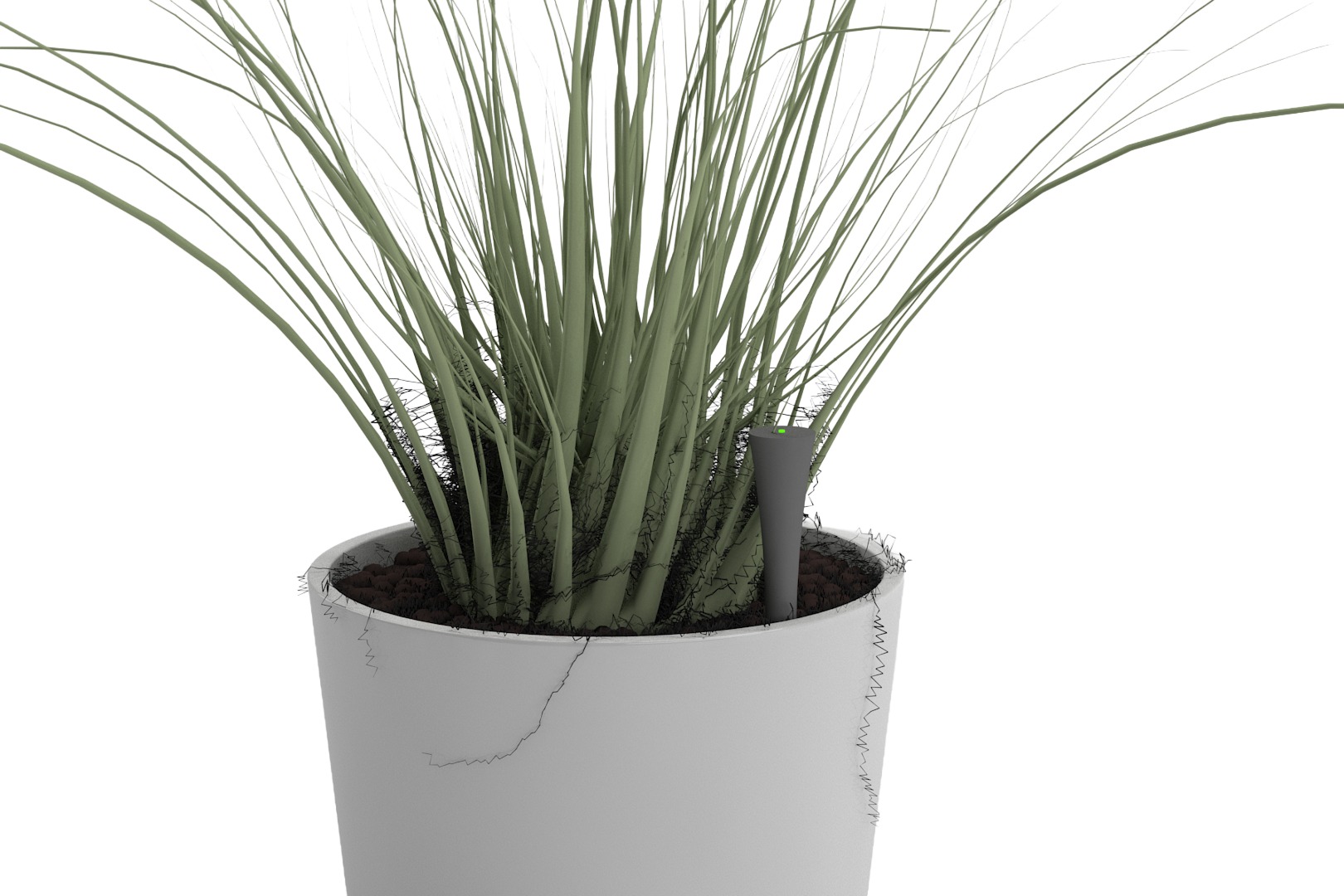
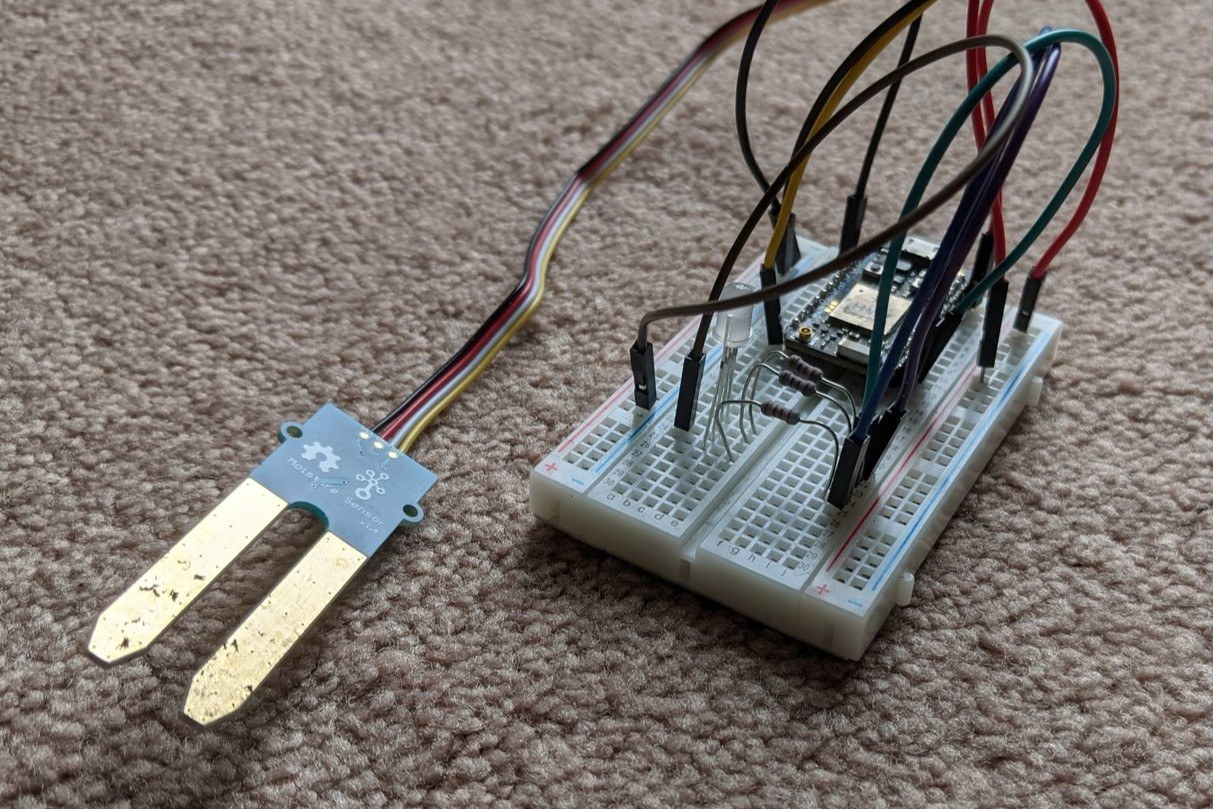
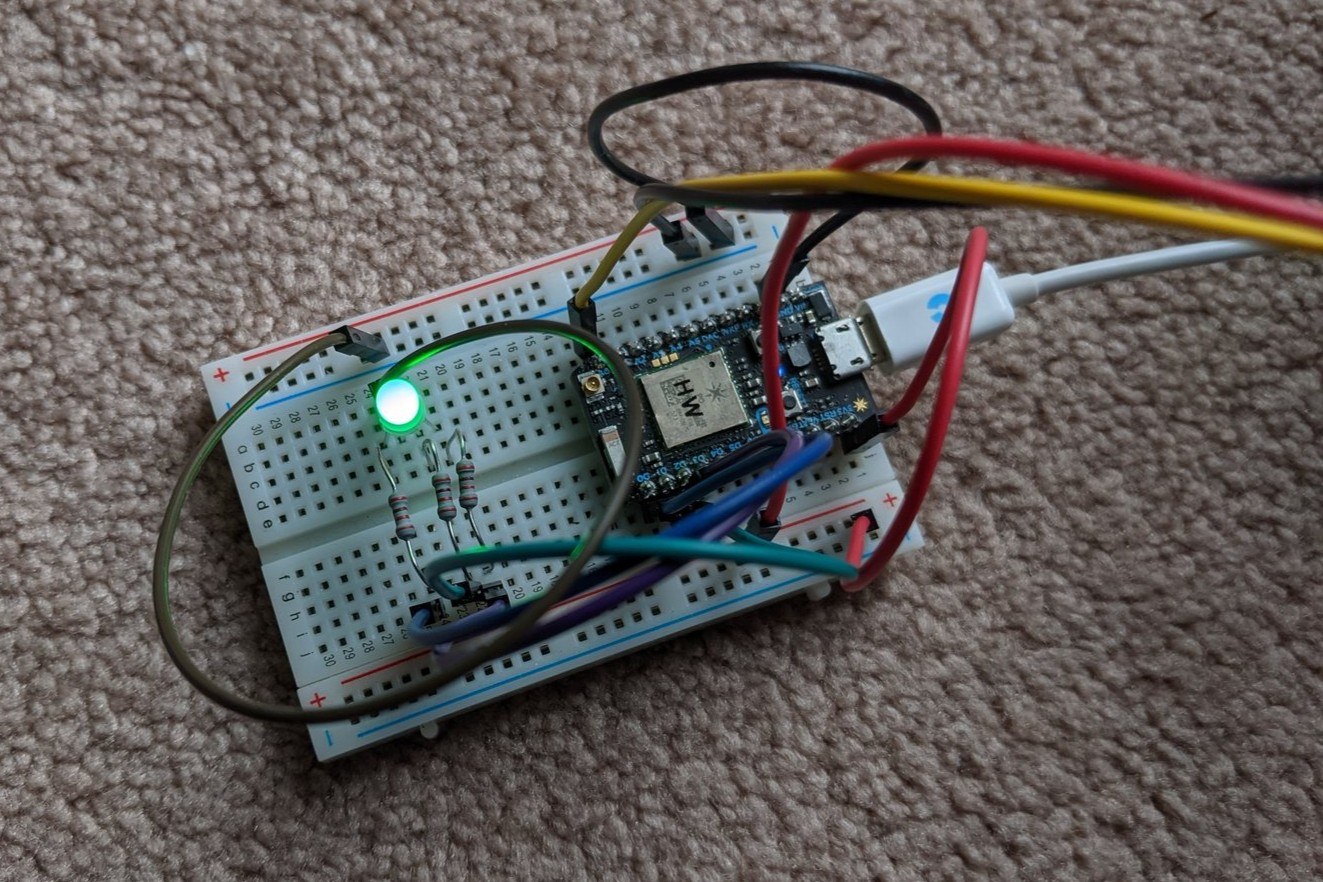
The renders show what the device would look like. The idea was that a plant's status could be legible at a glance, without the need to open anything. To know whether that held up, I built it. A Particle Photon, a Grove moisture sensor, and an RGB LED on a breadboard, written in C++.
I worked up to it in four passes: cycle the LED through its colors to learn the pins, pin it to a single state, read the moisture sensor over serial on its own, then combine the two so the reading drives the color. Dry soil turns the LED violet. Moist soil turns it green. That is the whole product thesis in eight lines.
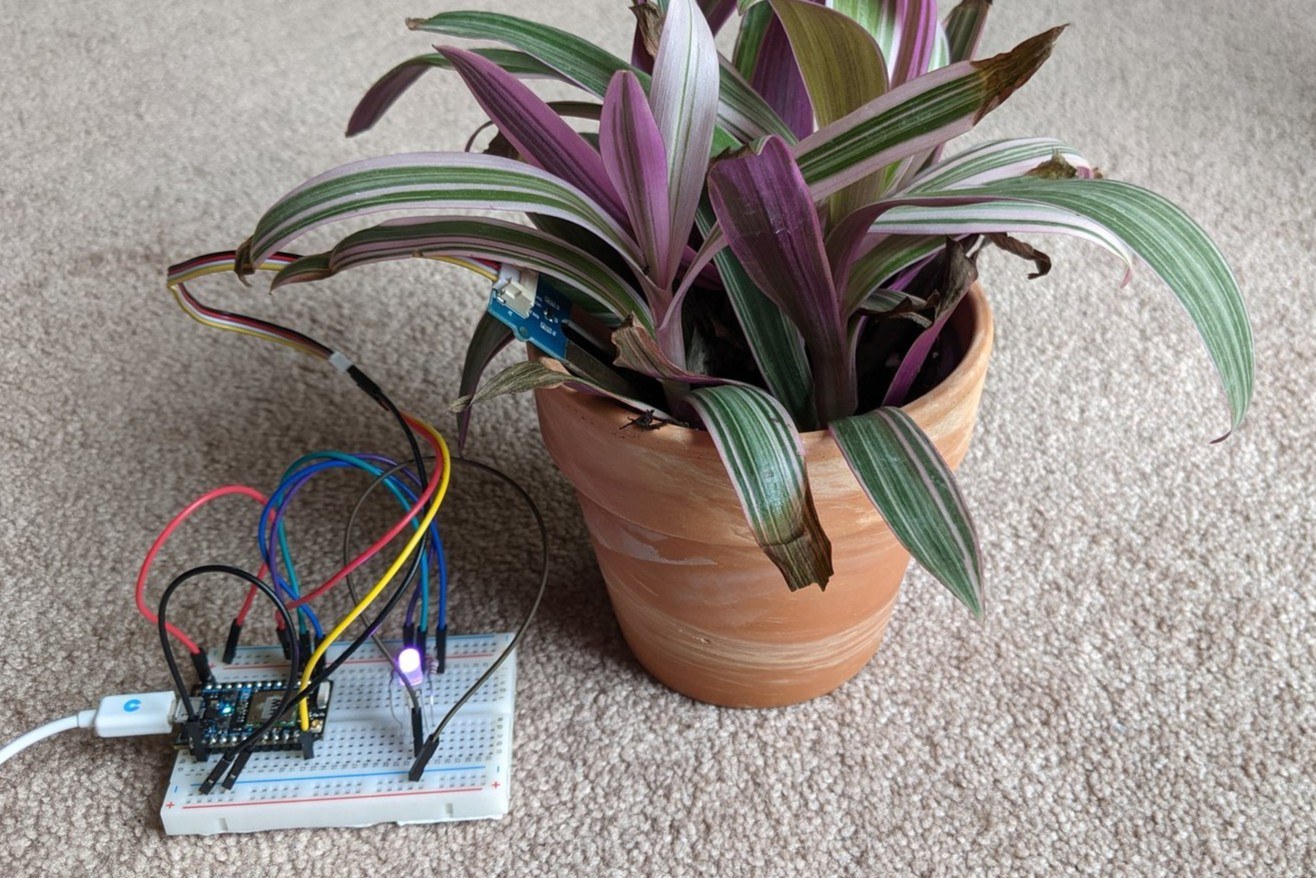
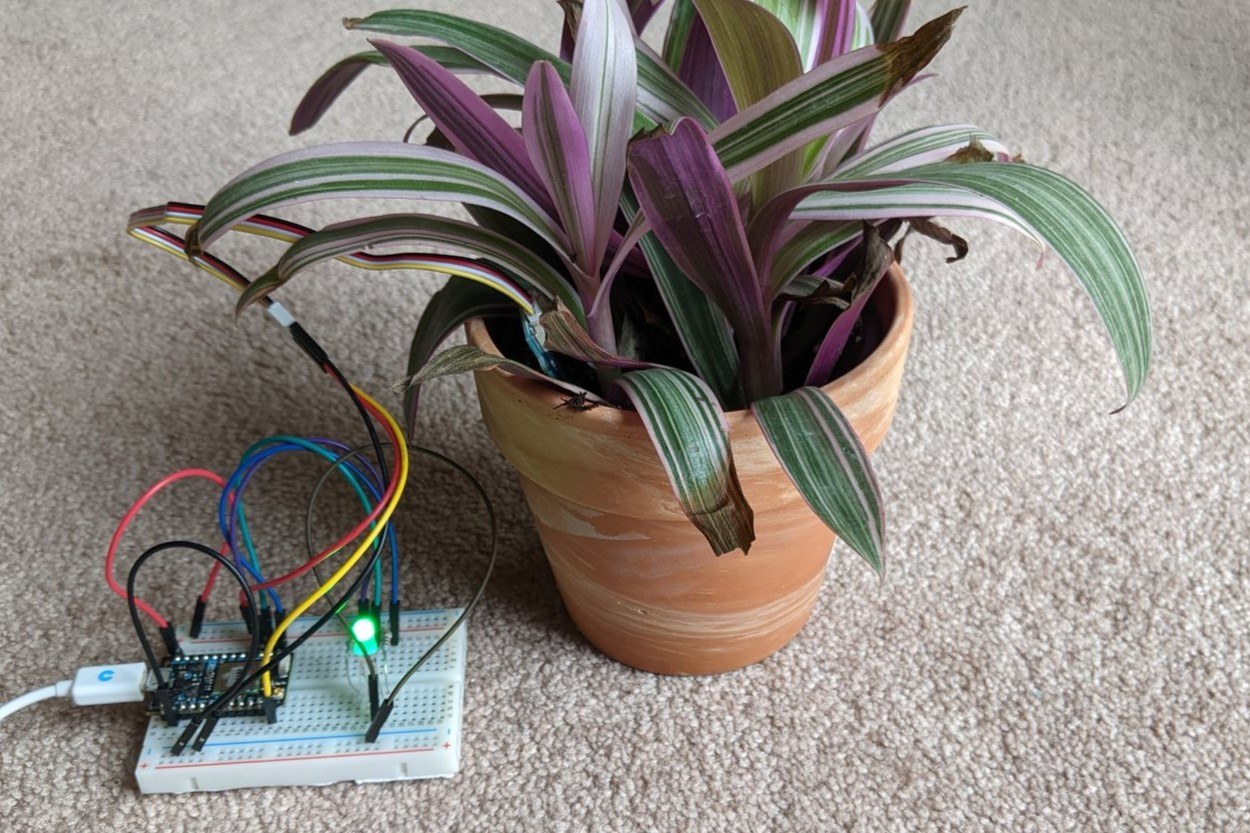
The LED is a shared channel, so no color could mean two things. We set the vocabulary before the enactments, tested it with props, and never changed it. The prototype demonstrates the two states tied to moisture because that is where the research pointed. Watering was the main interaction logged in the diary study, and interviewees who had lost a plant usually assumed water was the reason without knowing for certain.
Violet — needs water
Chosen from the survey and interviews, and tested with a violet prop in the pot before it was ever wired. Deliberately not red: on a device a red light reads as a fault, not a thirsty plant. The app shows the same state in red, because on a screen violet doesn't pull the eye.
Green — healthy
Nothing to do. All it takes is a glance across the room to see the state of the plant.
Blue — pairing
Reserved for setup. Holding the sync button puts the stick in pairing mode, and blue confirms it reached the hub: a device state, never a plant state.
The rest, held back
One participant asked whether water needed a color other than violet. It didn't. Adding more hues would have made the stick a thing you decode instead of read.
The enactments also found the limit of the channel. Color alone did not suffice: participants still wanted the app to confirm before they acted on it.
sensorValue = analogRead(sensorPin);

// if moisture is below value display purple, else display green
if (sensorValue < 1900) {
    setColor(128, 0, 128);   // Purple
} else {
    setColor(0, 255, 0);     // Green
}The threshold moved during testing. My first pass used a cutoff of 600, carried over from an Arduino tutorial. The Photon's ADC is 12-bit where the Arduino's is 10-bit, so the same soil read about four times higher, and the number that actually separated "dry" from "fine" in a real pot landed at 1900. Small detail, but it was the moment the prototype stopped being a wiring exercise and started being calibrated against an actual plant.
The interface
2021, and again in 2026
Most of the 2021 interface came out of storyboarding and successive wireframe mockups, each iteration tested with a different set of participants before moving to high fidelity. It shipped as a working hi-fi prototype at the end of the semester.
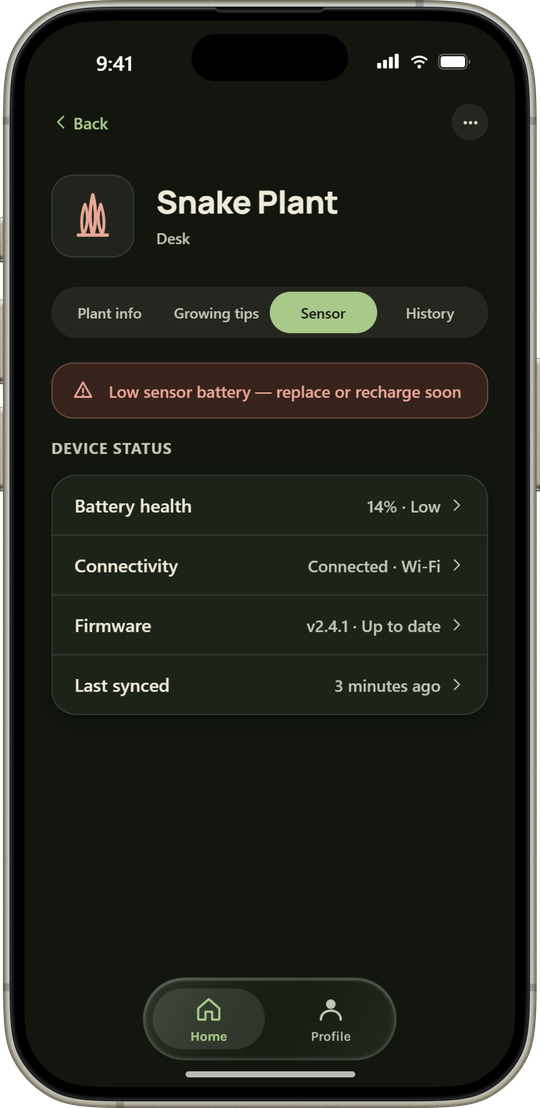
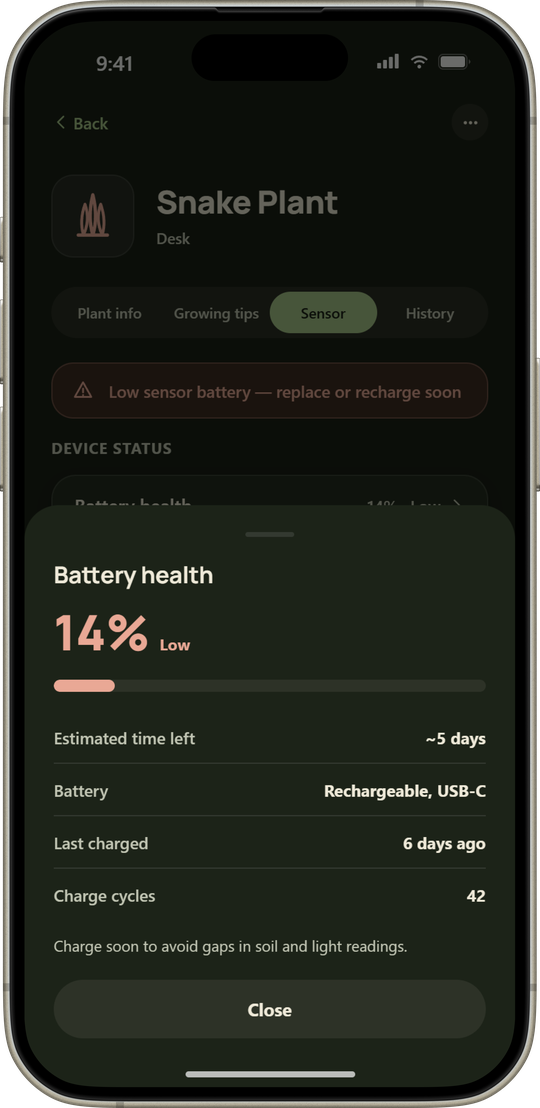
After five years, the visual language had aged, and two features the team had specified never got screens before the semester ran out: device diagnostics and a per-plant history. So in 2026 I rebuilt the UI and finished the scope. The product decisions from the original research are unchanged; what changed is how they look and how much of the concept is actually drawn.
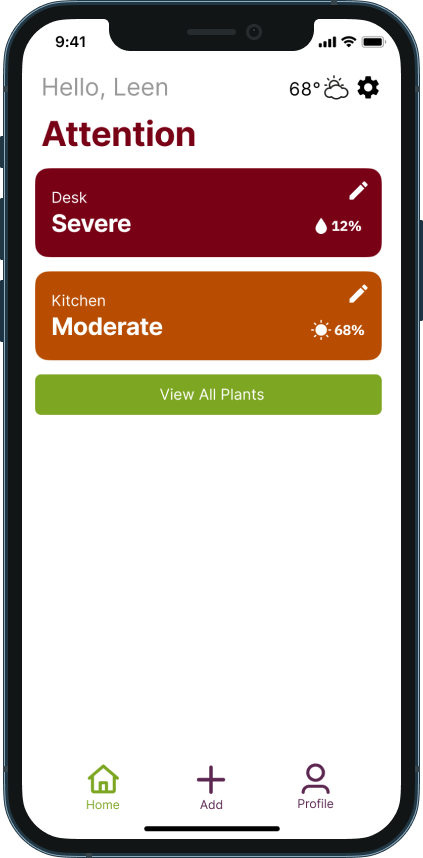
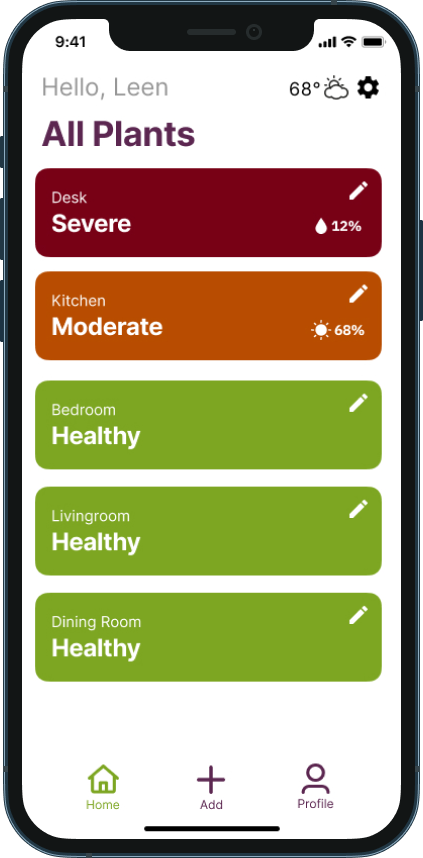
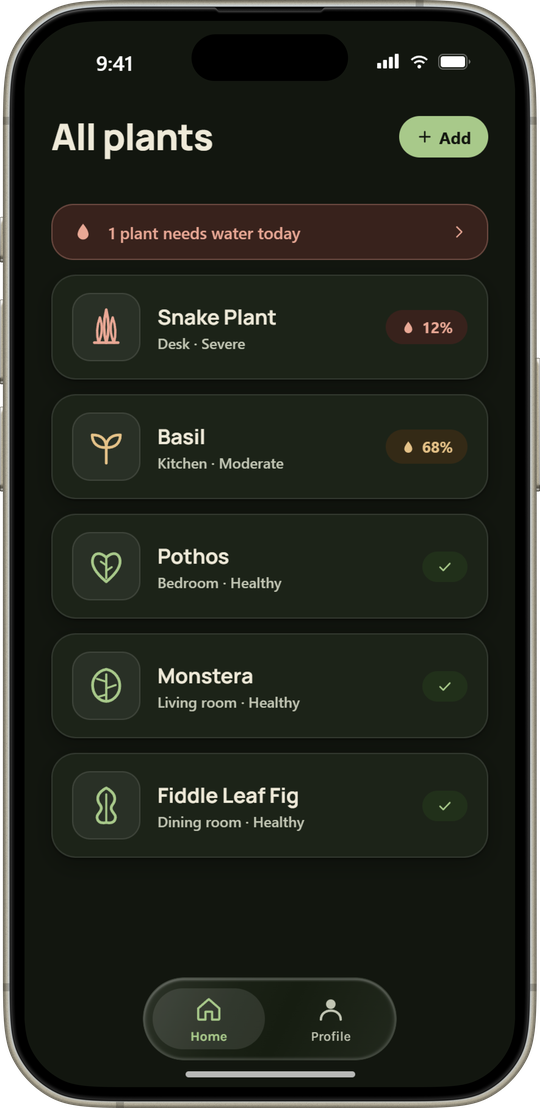
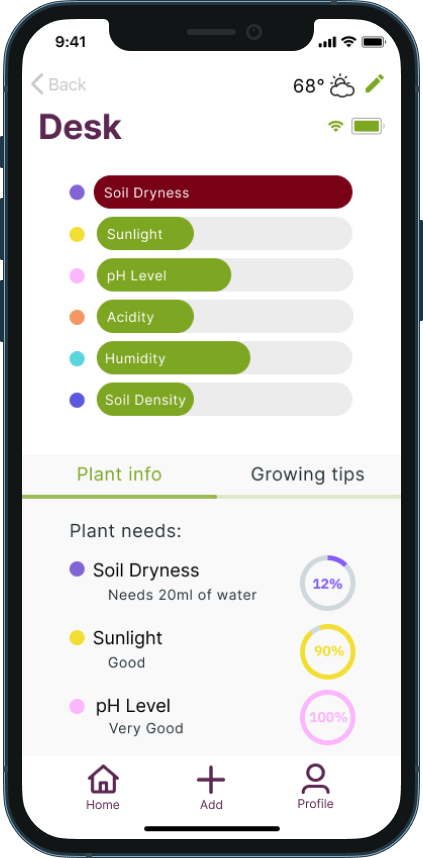
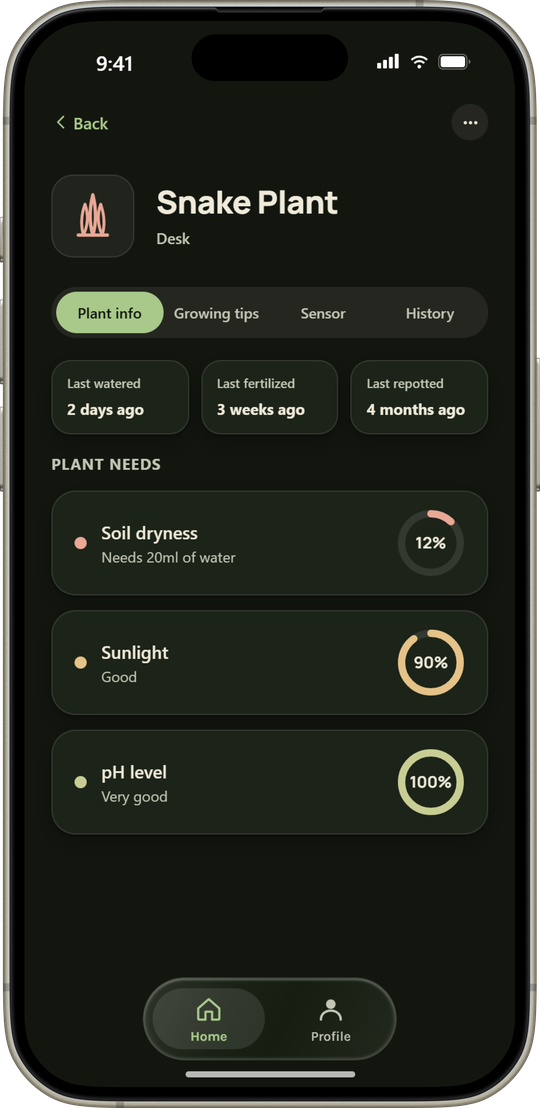
Two screens became one
Attention and All Plants were separate screens. In 2021 colorful cards made sense: the alert screen only showed problems, so shouting was the point. All Plants got the same treatment, so five cards shouted for the user's attention. In 2026 the two became one screen: a single alert row carries the color, and the list below it stays quiet.
Species, not status
In 2021 a card led with its condition, Severe or Healthy, and tagged the room above it. Owners in our study talked about plants by species, so the species became the headline and the room and status moved to the subtitle.
The 2026 app
Try it
The rebuild is a working prototype, not a set of images. Tap through it below.
This one is interactive. It needs more room than this screen gives it, so it opens on its own.
Open the prototype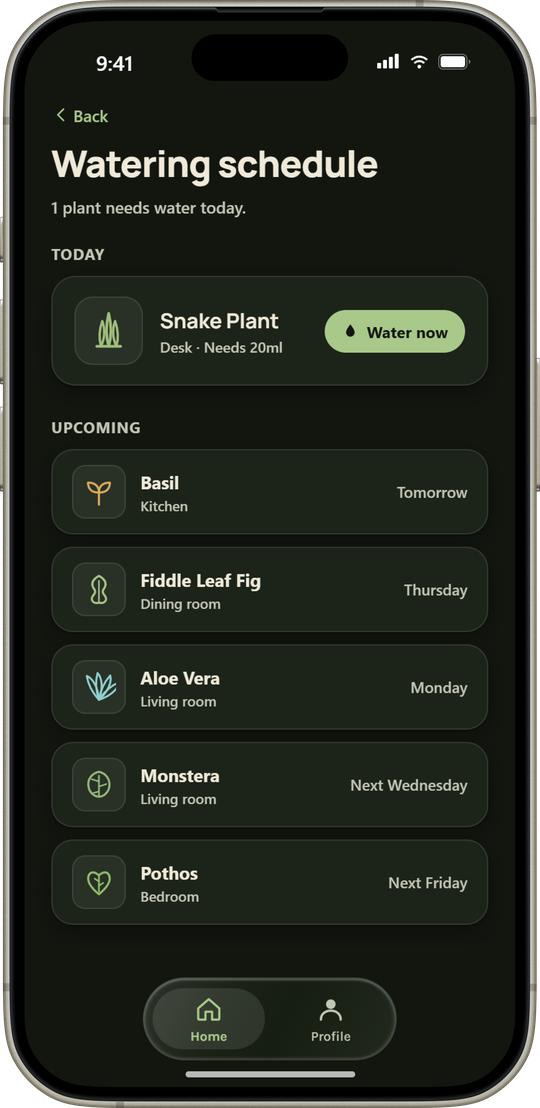
Outcome
The research held up even after the interface didn't
Plantify shipped as a working hi-fi prototype and a working piece of hardware, validated against real plant owners instead of assumptions. When I came back to it five years later, nothing in the research needed revisiting. The findings about reassurance, late detection, and glanceable status still described the problem exactly. Only the interface had aged. That gap is the most useful thing this project taught me.
Sensor footprint
Fitting every sensor we specified into a single slim stick. The breadboard is not a housing.
Battery life
Rechargeable, not replaceable: a battery door is the first thing to fail on a weatherproof enclosure, and this one lives in wet soil. What is still untested is how long a charge survives holding a live Wi-Fi connection.
Offline reliability
How monitoring stays trustworthy when the Wi-Fi connection isn't constant.
Outdoor use
Theft, tampering, and what the app should surface when a device is damaged or knocked over.