UX Research
YouTube Music
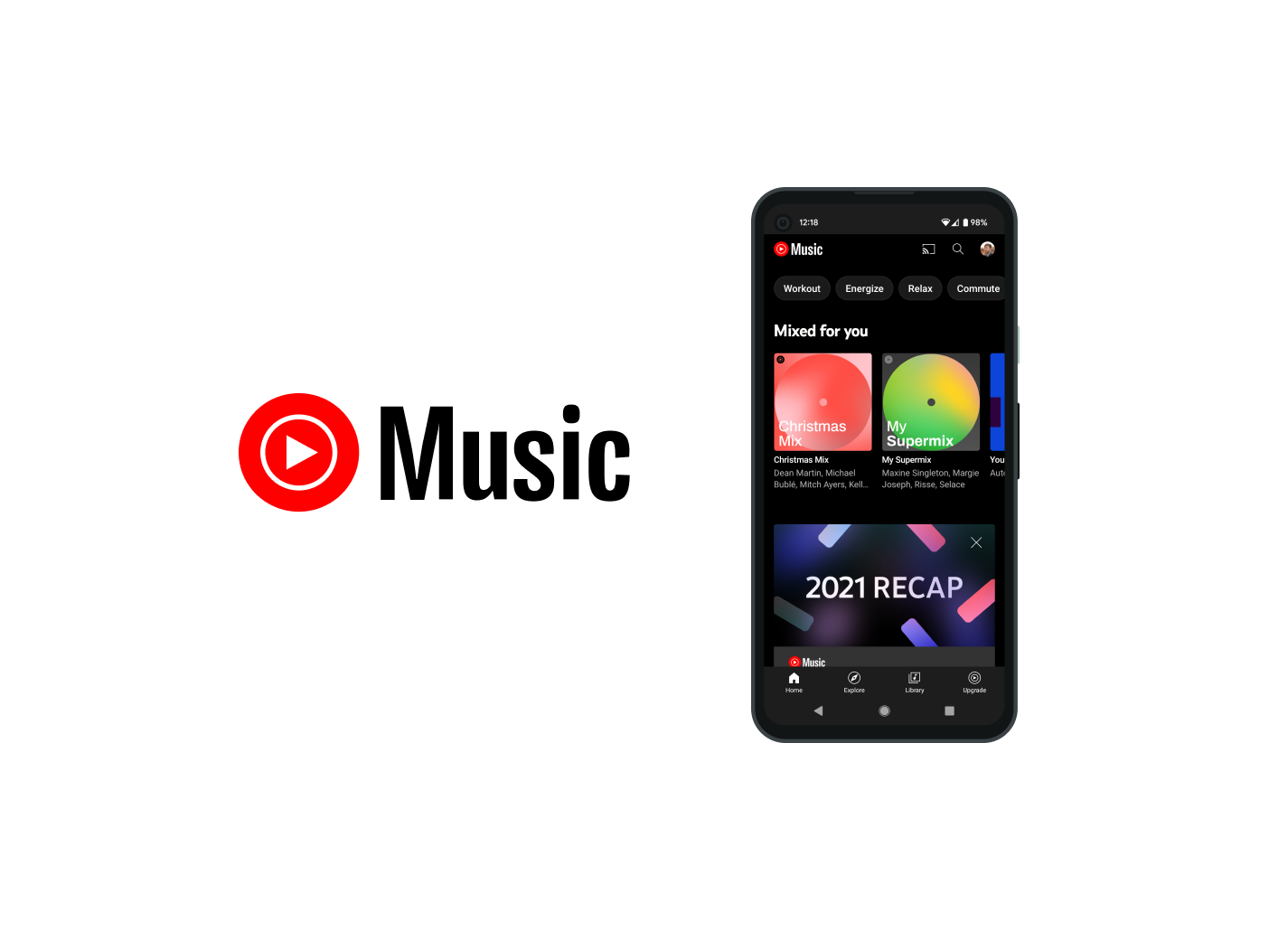
Our research team was paired with YouTube Music to explore three of the client's interest areas: voice interaction, multi-modal systems, and connected devices. Over a semester we ran six research methods, all pointed at one question. What do users expect from text- and voice-based interactions?
Brief
What do people expect when they talk to a music app?
YouTube Music gives listeners a personalized stream they use while doing other things, like cooking, driving, or working out. With voice assistants and connected devices everywhere, the client wanted to understand how well the app satisfies a user's needs across multiple devices and in different modalities, and where text and voice each earn their place.
My role: every team member ran every method. On top of that I led communication with the client, keeping YouTube Music informed between milestones and delivering each round of findings. The client granted permission to publish this work at the end of the engagement.
Interaction map
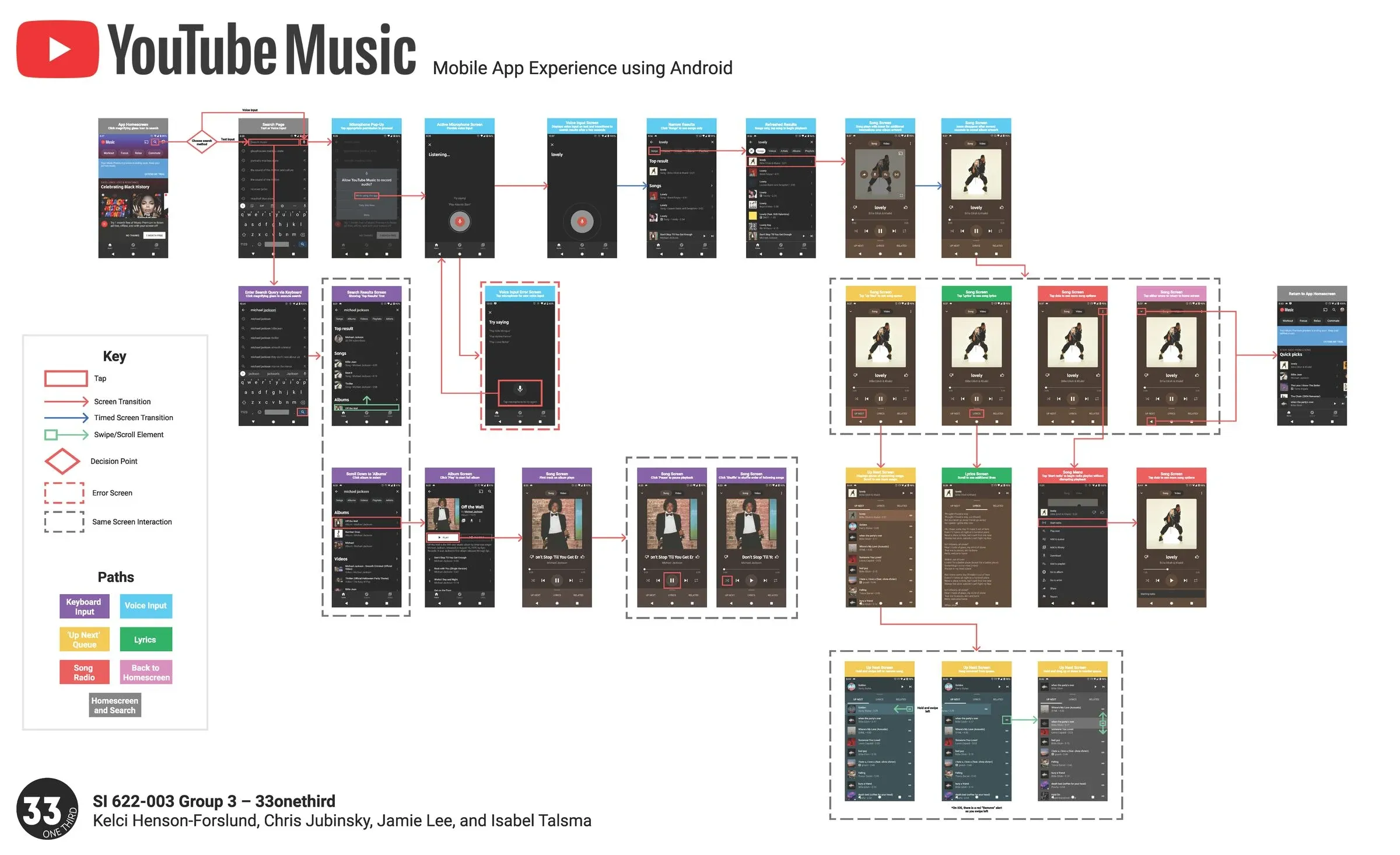
Mapped the Android app end to end to see where each path could fail: text search, voice search, playback, lyrics, and the up-next queue.
User interviews
Screener survey, then four 60-minute interviews, transcript review, and team qualitative analysis.
Personas and scenarios
Turned interview patterns into three personas and the situations where voice wins or loses.
Survey
Targeted ages 18 to 44, piloted, fielded to 77 valid responses, and cross-tabulated by age and household.
Comparative evaluation
Spotify, Apple Music, Pandora, and Deezer as direct competitors, plus four out-of-domain voice systems: Amazon Echo, Voicipe, Uber, and CVS Pharmacy.
Usability tests
Task-based tests with five participants on the mobile app, including voice search and subscribing to an artist.
Interaction map
Mapping the app before we talked to anyone
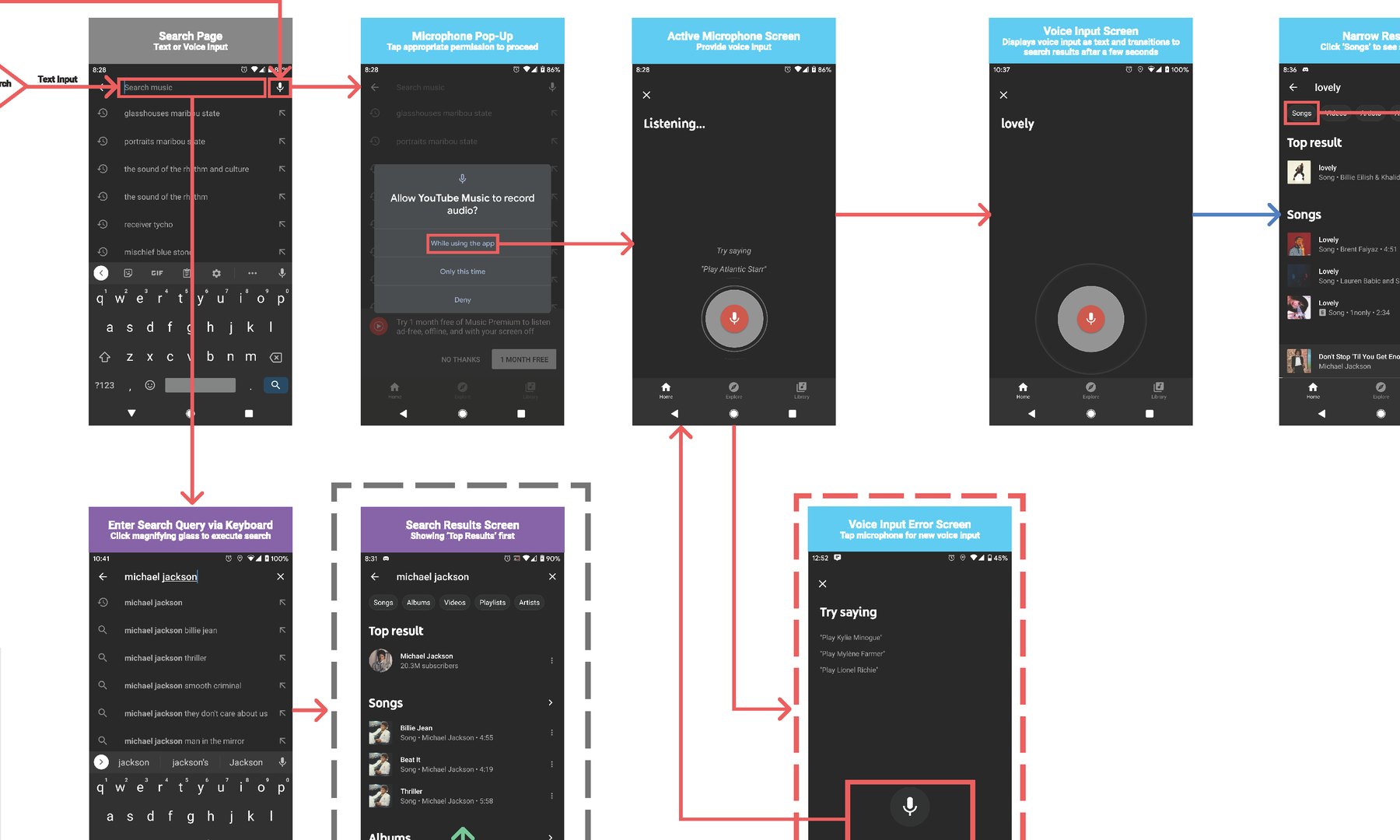
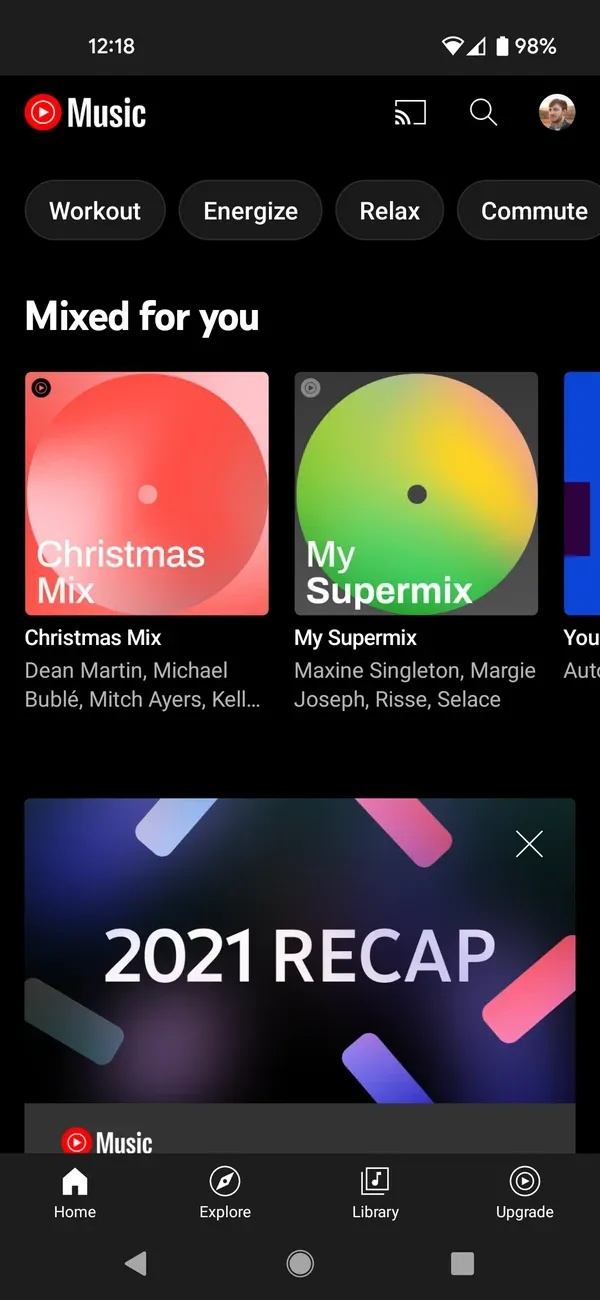
We started by mapping the Android app end to end: every screen and state across text search, voice search, playback, lyrics, and the up-next queue, and each way a path could fail. The map became the shared reference for the rest of the project, and the first place the gaps showed up. Voice is a small mic icon on the search bar, a single "Try saying" example is the only guidance, and when the system mishears, the only recovery is tapping the mic and trying again.
Interviews
Voice is for simple tasks and busy hands
A screener survey narrowed our networks to four people, and we ran 60-minute interviews with each, one of us moderating while another took notes, and the roles rotating between sessions. Afterward, we analyzed the transcripts together in a working session. Three questions guided the interviews: what role does talking to a computer play in someone's day, in which situations do they choose voice and for what kind of task, and what do people expect a voice interaction to do?
People use voice assistants most often for simple tasks and while multitasking. When a query is ambiguous, they want the system to come back with options, not an apology.
Respond to ambiguous voice input with a yes/no clarifying question or a short set of informative options, in whatever modality is handy.
Users adjust how they speak to match how they think the system hears them and how they think its algorithm works.
Treat phrasing as a learnable skill: show working examples so people don't have to guess the grammar.
A seamless experience across connected devices matters most in the context of music listening.
Let listening move from one device to another inside a single app, and keep the feature set consistent across devices.
People value customized experiences they control, and that customization is what keeps them on a platform.
Make customization highly visible, and consider letting new users migrate their playlists and preferences from another service.
Survey
Smart speakers get the most voice, and have no screen to fall back on
The survey targeted 18 to 44 year olds and asked about preferences and expectations for voice on music services across connected devices, how those differ by age, and whether living with young children changes how people use voice. We wrote the logic, piloted it, fielded it to 77 valid responses, and cross-tabulated the results.
More people use voice commands on phones, but people use them most frequently on smart speakers. Most learn new voice capabilities by trial and error or from other people.
Prioritize the smart-speaker voice experience, where frequency is highest and there's no screen to fall back on.
When a voice command fails on the first try, users tend to repeat it word for word rather than rephrase.
Design error correction that suggests a fix ("Did you mean…?") or gives a direction ("Please repeat the phrase"), and prioritize accuracy on devices where switching to touch is hard, like speakers and cars.
YouTube Music users are only slightly satisfied with its smart-device integration and voice capabilities, and most people pay for just one premium music subscription.
Improve device integration and build on existing voice features. For growth, target people with no premium subscription yet, or make switching from another platform easy.
Usability tests
Nobody reached for the mic
The comparative evaluation set up the usability tests. We looked at how Spotify and Pandora handle voice, borrowed from analogous systems like CVS's phone robot and Uber's voice interface, and then watched participants use YouTube Music's mobile app for real tasks. The pattern was consistent: voice was there, but nothing invited people to use it.
"I'd probably just wash my hands."
P5, asked how they'd play music with dirty hands
"Hey Siri, play Phoebe Bridgers on YouTube Music."
P2, same task, reaching past the app for the system assistant
"I would probably just keep trying to spell things…"
P3, searching for an artist whose name is hard to spell
Spotify and Pandora support simple wake phrases for hands-free control. Users prefer system-wide assistants like Siri and Google over in-app voice, either because they don't know the app supports voice, because the system assistant is familiar, or because it's fully hands-free.
Add a wake word for a fully hands-free experience on mobile, or deepen integration with system-wide assistants and make that capability visible.
Competitors and analogous systems tell users what they can say ("Search an artist, song, or playlist"). YouTube Music offers little beyond one "Try saying" example, and users didn't know what a successful voice search looked like.
Show voice input suggestions and examples so people understand the system's capabilities and avoid failed searches.
Subscribing to an artist on mobile lacked clear affordances in testing.
Enlarge the touch target to cover both "Subscribe" and the follower count, and borrow YouTube's iconic red Subscribe button so the action is recognizable across apps.
People rely on as-you-type instant search and resist in-app voice. They reach for voice only when text is hard: hands are dirty, or the title is long or ambiguous.
Keep improving difficult text searches, and when the system detects someone struggling to type a query, prompt them to try voice.
Recommendations
What we handed the client
Across all six methods, the recommendations converged on five moves. They were delivered to YouTube Music as milestone reports throughout the semester, with a final summary at the end.
1. Go hands-free
Add a wake word on mobile, or lean into system-wide assistants and make sure users know it works.
2. Show what you can say
Voice prompts and example commands, so a successful search is learnable instead of guessed.
3. Recover from failure
"Did you mean…?" corrections and clarifying questions, prioritized on speakers and in cars.
4. Make devices seamless
Consistent features everywhere and easy handoff of playback between devices.
5. Fix the small affordances
A bigger Subscribe target in YouTube red, and voice prompts when text search is clearly struggling.
Open questions
Mic always-on or push-to-talk? Confirm in voice or text? How long should a voice exchange last? Are parents heavier voice users?
Limitations
What the study couldn't reach
Four students, four months, and a client whose users span more than we could recruit. The reports name the constraints, and we handed them to YouTube Music alongside the recommendations rather than leaving them out.
Participants came from our own networks
We recruited interviewees through personal and professional contacts, and all four were under 35. That's a narrow slice of an audience the client defined as 18 to 44.
The age band the client cared about was the thinnest
Only 12 of 77 survey respondents fell between 30 and 44, so the age comparisons ran between 18-to-29 and 45-plus instead. Our own recommendation was to widen the next study past 44.
Everyone tested on iOS
All five usability participants used iPhones, which is part of why they reached for Siri over the in-app mic. On Android that balance could look different.
We never tested the device we told them to prioritize
The survey found voice used most frequently on smart speakers, and we recommended prioritizing that experience. Every test we ran was on the mobile app.
Outcome
A research program, not a single study
The value of this project was sequencing: each method narrowed the questions for the next, so by the time we were testing with participants we knew exactly which behaviors to watch for. It's the approach I still use: map the system first, talk to people second, measure third, and only then test.